
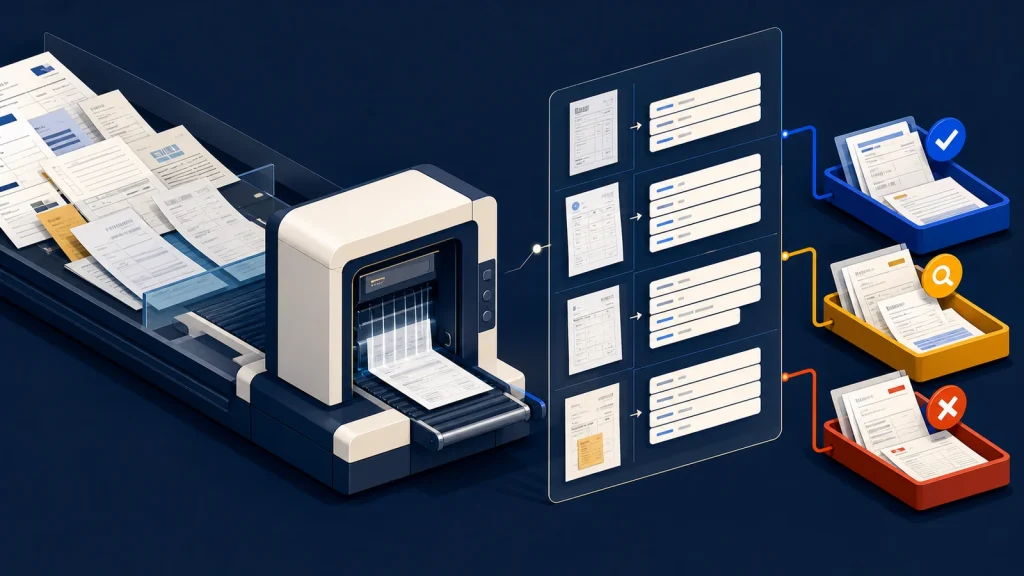
Reliable AI document processing cannot depend on a confidence score alone. A production workflow needs field-level quality measurement, deterministic business checks, source evidence, risk-based review rules, and a recovery path when the document or extraction falls outside the expected pattern.
Confidence can help route work. It does not prove that the extracted value is safe to use.
This distinction matters when a document creates a payment, updates inventory, opens an account, changes a customer record, or feeds a compliance process. The cost of one incorrect invoice total is different from the cost of one imperfect internal tag, so the automation boundary should reflect the business consequence.
AI document processing starts with the decision
Do not begin with “extract everything from this PDF.” Begin with the decision or transaction the document supports. List the required document types, fields, acceptable formats, downstream actions, and the consequence of a wrong or missing value.
An invoice workflow might need supplier identity, invoice number, purchase-order number, line totals, tax, currency, and payment terms. Each field has a different risk. A low-confidence description may be tolerable for search. A questionable bank account or total should stop straight-through processing.
This produces a field contract: expected type, required status, normalization rule, source location, validation rule, review threshold, and allowed downstream action. The contract is more durable than a prompt because it describes what the business will accept.
Measure extraction quality on your documents
A vendor benchmark does not tell you how the system performs on your scans, handwriting, layouts, languages, stamps, tables, and edge cases. Build a representative test set and label the values reviewers consider correct.
Google Cloud’s Document AI evaluation guidance uses precision, recall, and F1 to compare predictions with labeled documents. It also evaluates labels separately, which matters because a processor can perform well on invoice dates while struggling with line items.
Report quality by document type, field, supplier or template family, scan quality, and workflow consequence. A single overall accuracy number can hide the exact field that makes the automation unsafe.
Treat confidence as one routing signal
Confidence scores are provider-specific estimates. Their scale, calibration, and meaning can differ by model, field, and processor version. Do not assume that 90 means the same thing across services or that one threshold fits every field.
Google’s evaluation documentation shows the core tradeoff: raising a confidence threshold generally improves precision while reducing recall. Amazon Textract’s best practices likewise recommend considering the use case’s sensitivity and sending results below the selected threshold for greater scrutiny.
Choose thresholds from observed results on the representative test set, then revisit them when layouts, document sources, models, or business risk change. High confidence may permit further automated validation. It should not automatically authorize a high-impact action.
Add deterministic checks before approval
Business rules catch errors that a confidence score may not. Validate data types, required fields, date ranges, currency, arithmetic, allowed suppliers, duplicate document numbers, and relationships to known records.
For an invoice, confirm that line items add to the subtotal, tax and total reconcile, the purchase order exists, the supplier is active, and the destination account has not changed unexpectedly. Cross-check a value against the source system when one exists.
Keep these rules outside the extraction prompt where possible. They should be testable, versioned, and explainable to an operator. A failed rule should identify the field and reason rather than returning a generic “AI error.”
Design human review around exceptions
A review queue should show the original page or crop beside the extracted value, the field label, confidence, failed validations, and the proposed downstream action. Asking a reviewer to reopen a long PDF and hunt for context wastes the advantage automation created.
Use at least three outcomes: approve or correct, reject the document, or escalate an ambiguous business decision. Capture the corrected value and reason. That evidence can reveal a recurring layout problem, a broken rule, a new document type, or a processor version that needs reevaluation.
Microsoft’s Document Intelligence transparency guidance recommends evaluating representative use cases and describes confidence-based straight-through processing and human review as an example rather than a universal threshold. The operating lesson is to keep human accountability aligned with the risk of the action.
Handle unsupported documents explicitly
Not every failure is a low-confidence field. The file may be unreadable, password protected, incomplete, duplicated, in the wrong language, or a document type the workflow was never designed to process.
Classify these conditions before extraction or as early as possible. Quarantine unsafe files, reject unsupported inputs with a useful reason, and preserve the original document and processing history. Do not let an unrecognized layout silently produce a plausible-looking record.
Monitor business quality after launch
Track document volume, unsupported rate, extraction failures, straight-through rate, review rate, correction rate, corrections by field, review time, and downstream reversals. Sample some automatically approved documents so the team can detect confident errors that never reached the review queue.
Version the processor, prompt or schema, validation rules, and thresholds with each decision record. When quality changes, the team should be able to connect the change to a release, document population, or rule update.
Use a production-readiness checklist
- Define supported document types and downstream decisions.
- Create field contracts and representative labeled test documents.
- Measure quality per field and document segment.
- Choose risk-based thresholds from observed performance.
- Add deterministic validation and duplicate checks.
- Give reviewers source evidence and explicit outcomes.
- Preserve versions, corrections, and decision history.
- Monitor approved samples and downstream reversals.
Automate the document without hiding the decision
The goal is not to make every document disappear into an AI pipeline. It is to reduce routine handling while keeping important values verifiable and uncertain cases visible.
That traceability extends the principles in AI Workflow Audit Trails Matter Before More Autonomy. If document intake is becoming a bottleneck, Eckman Design can help design an extraction, validation, and review workflow that matches the risk of the work.