
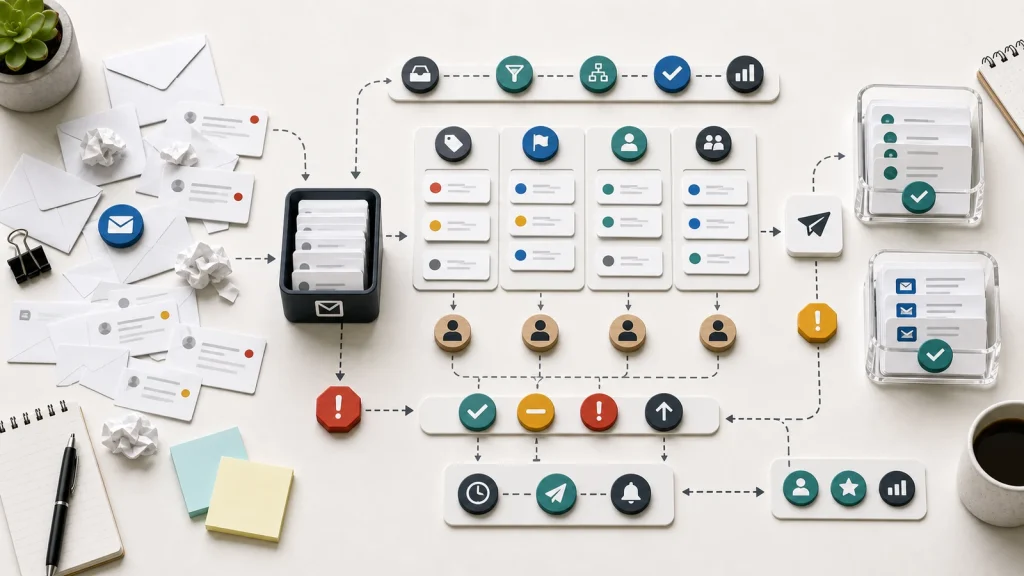
Email workflow automation fails when the inbox is still treated as the process and the business never defines ownership, priority, visibility, or escalation clearly.
Email is a channel, not an operating model for ownership, priority, escalation, and response quality.
Automation works better when messages become structured requests with owners, states, rules, and review paths.
A shared inbox can hide duplicate effort, missed handoffs, stale threads, and unclear accountability.
Start by mapping how a message becomes work before adding routing, templates, AI summaries, or auto-replies.
The Inbox Hides The Workflow
Email feels simple because every business already uses it. A customer, partner, vendor, or internal team sends a message. Someone replies. Work moves forward. At small scale, that can be enough.
The problem starts when email becomes the place where the workflow lives. Requests sit in personal inboxes. Shared inboxes collect messages without clear ownership. People forward threads to each other. Important decisions get buried under replies, attachments, and side conversations.
When that happens, email workflow automation often makes the wrong thing faster. Auto-replies, templates, routing rules, and AI summaries may reduce typing, but they do not solve the deeper issue: the business still does not know how a message becomes owned work.
The first step is to separate the channel from the process. Email can be the front door. The workflow needs its own structure, rules, reporting, and maintenance rhythm.
A Message Needs A Request State
A useful email workflow turns a message into a request with a state. Without a state, the team only has a thread. A thread does not reliably show ownership, priority, age, next action, or resolution.
The states do not need to be complicated. Received, needs clarification, assigned, in progress, waiting on customer, escalated, resolved, and closed may be enough. The important point is that each state tells the team what should happen next.
Zendesk’s documentation on channels explains the operating idea clearly: requests can arrive through different channels, but they become tickets that agents manage. The tool is not the main point. The operational pattern is the point. A message becomes a managed work item.
This pattern matters outside support teams too. Sales inquiries, vendor requests, finance questions, onboarding steps, and internal operations requests all need a way to move from message to owned work.
Routing Rules Need Business Rules
Email workflow automation often starts with routing. Send billing questions to finance. Send support requests to service. Send new project inquiries to operations. That can help, but routing rules only work when the business rules are clear.
For example, a message about an invoice may also describe a service problem. A new lead may include an urgent support issue. A vendor request may need legal review before anyone responds. A customer may reply to an old thread with a new topic.
If the automation only reads the inbox address or subject line, the workflow may route the request incorrectly. Better routing usually needs category, customer status, urgency, service line, owner, contract context, and sometimes human review.
This is why customer intake forms are not customer intake workflows. Capturing the request is only the start. The business still needs rules for routing, ownership, data quality, and response expectations.
Templates Should Support Judgment
Response templates can improve consistency, but templates should support judgment rather than replace it. A template is useful when it gives the operator a clear starting point and reduces repetitive typing.
A template becomes risky when the team sends it without checking whether it matches the request. The result can feel efficient internally and careless externally. The customer receives a polished response that does not answer the actual issue.
Good email workflow automation should make context visible before a response goes out. Who is the requester? What is the request type? What has already happened? What information is missing? Does this need approval, escalation, or a different channel?
AI can help summarize long threads or draft a response, but the system still needs boundaries. The operator should know when to approve, edit, ask for more information, or hand the issue to someone else.
Visibility Reduces Follow-Up Noise
People send follow-up emails when they cannot see whether work is moving. A clear email workflow should show what has been received, what is waiting, who owns it, and where work is blocked.
This does not mean every stakeholder needs access to every internal note. It means the team needs enough visibility to avoid duplicate replies, missed handoffs, and unnecessary status meetings.
A simple queue can show more truth than a busy inbox. It can show aging requests, unassigned work, repeated issues, blocked items, and response-time pressure. Those signals help the business improve the workflow instead of only reacting to whichever email is newest.
The same pattern appears in project intake processes. Scattered requests hide demand. A visible intake queue helps the team make better decisions before it commits to more work.
Escalation Rules Protect The Customer Experience
Email workflows break when urgent, sensitive, or unusual requests follow the same path as routine messages. Escalation rules help the team decide when a request needs a different owner, faster review, manager approval, or a more careful response.
Good escalation rules are specific. They may flag messages from key accounts, legal concerns, billing disputes, repeated complaints, security issues, missed service levels, or requests that include incomplete but high-value buying signals. The rule should explain what changes when the flag appears.
Escalation also needs a feedback loop. If every request becomes urgent, the workflow is not prioritizing. If no request escalates, the team is probably relying on memory, private judgment, or whoever happens to see the message first.
Measure The Workflow, Not Just Reply Speed
Email teams often measure speed because speed is easy to see. Reply time matters, but it is not enough. A fast response can still be wrong, incomplete, duplicated, or routed to the wrong person.
Better measures include first clear owner, time to useful response, reopened requests, repeated clarification, unresolved aging, escalation volume, duplicate replies, and requests that arrive through the wrong channel. These metrics show whether the workflow is improving and whether customers receive clearer, faster, more reliable help.
Measurement also reveals which messages should not stay in email. Some requests belong in a CRM, ticketing system, project intake queue, billing workflow, or customer portal. Email can start the request, but the operating system should match the work.
A Practical Starting Point
Before adding email workflow automation, review a sample of real messages from the last two weeks. For each message, note the request type, owner, current status, response expectation, missing information, and whether the final resolution happened inside or outside the thread.
Patterns will appear. Some requests need clearer intake questions. Some need routing rules. Some need a shared queue. Some need a knowledge base. Some need a CRM record or project request instead of another forwarded message.
Use those patterns to design the first workflow. Define request states, ownership, routing, response templates, escalation rules, and review metrics. Then automate the steps that repeat.
Email workflow automation works when the inbox becomes a channel into a better system. If the inbox remains the system, automation will only help the business move confusion faster.