
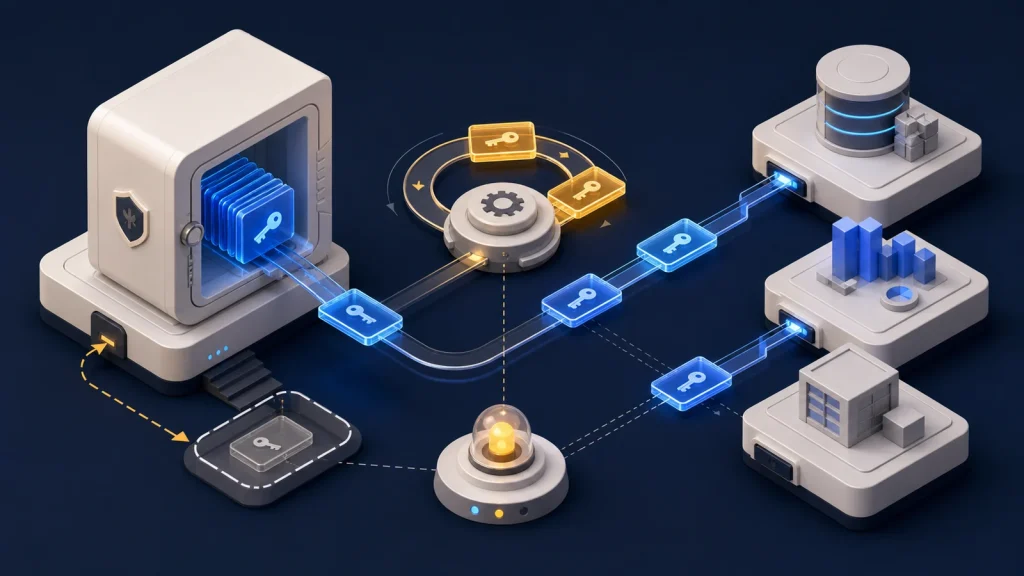
OAuth token refresh should be designed as a managed integration workflow, not a one-time login detail. A reliable connection must obtain the right offline access, store credentials safely, coordinate refresh attempts, preserve rotated tokens, recognize revocation, and guide an operator through reauthorization before queued business work is lost.
An integration is not healthy because it connected once. It is healthy when access can expire, recover, and fail visibly.
This matters for calendar, CRM, accounting, file-storage, advertising, and email integrations that run when the person who granted access is not present. The authorization screen is only the beginning of that credential lifecycle.
OAuth token refresh begins during authorization
The application must request the flow and access mode appropriate to its environment and background work. Record the provider account, granted scopes, connection owner, authorization time, and the business workflows that depend on the connection.
Provider behavior differs. Google’s web-server OAuth documentation, for example, requires offline access when an application needs to call Google APIs without the user present. It also notes that a refresh token may be returned only under particular authorization conditions, so reconnecting an already approved account does not always produce another one.
Do not mark the connection ready until the application has verified the granted scopes, stored the durable credential when one is supplied, and completed a real API request. A successful redirect without usable background access is an incomplete setup.
Store refresh credentials as production secrets
Refresh tokens can provide ongoing access after short-lived access tokens expire. Keep them encrypted at rest, protected in transit, unavailable to browser logs and analytics, and accessible only to the service responsible for the integration.
RFC 6749 requires refresh tokens to remain confidential in transit and storage and bound to the client to which they were issued. Avoid copying them into general configuration files, support tickets, job payloads, or error messages.
Store useful metadata separately: provider, connection ID, account identity, scopes, token expiry when supplied, last successful refresh, last API success, credential version, and current connection state. Operators need health information, not access to the secret itself.
Coordinate concurrent refresh attempts
Several workers can discover an expired access token at the same time. If every worker independently exchanges the same refresh token, the integration may waste requests or break when the provider rotates credentials after use.
Use a single-flight mechanism or lock scoped to the connection. The first worker refreshes; the others wait and reuse the resulting credential. Update the access token, expiry, and any replacement refresh token atomically before releasing waiting jobs.
After receiving an authorization failure, check whether another worker already refreshed the credential before starting a second exchange. Retry the original API request only when the operation is itself safe to retry.
Treat rotation as a state transition
The OAuth framework permits an authorization server to issue a new refresh token during refresh and invalidate the old one. A client must replace the stored credential when the response includes a new value.
Some products add stronger behavior. Auth0 documents refresh-token rotation and automatic reuse detection, where reuse of an invalidated token can invalidate the token family and require reauthentication. That is an Auth0 implementation, not a promise made by every OAuth provider.
Persist the newly issued credential before treating the refresh as complete. If the process crashes after the provider invalidates the old token but before local storage commits the new one, the connection may require recovery.
Classify failures before retrying
A network timeout or temporary provider error may justify a bounded retry with backoff. An invalid client, revoked grant, expired refresh token, removed user, changed policy, or missing scope usually requires configuration repair or renewed consent.
Do not loop indefinitely on a permanent authorization error. Pause dependent jobs, preserve their business identifiers, mark the connection as action required, and notify the named owner with the provider account and affected workflows.
A refresh failure should not automatically delete the stored credential. Preserve evidence needed for diagnosis while keeping the secret protected, and prevent unrelated connections from being paused.
Make reauthorization an operator workflow
Provide a reconnect action that explains which account is disconnected, why access is needed, which scopes will be requested, and what work is waiting. Verify that the returned account matches the intended business connection before replacing credentials.
After reauthorization, run a health check and resume queued work in a controlled order. Use duplicate-safe processing so reconnecting does not repeat invoices, messages, or calendar events that completed before the failure was recorded.
Monitor the credential lifecycle
Track refresh attempts, successes, latency, transient failures, permanent failures, connection state, last successful API call, scope changes, reauthorization age, and queued work blocked by authorization.
Alert on repeated refresh failure and stale connection health, not every normal access-token renewal. Review inactive connections and revoke access that is no longer needed. Test provider sandbox or test-account behavior for expiry, rotation, concurrent work, revoked consent, and reconnect.
Use an OAuth integration checklist
- Request only the scopes and access mode the workflow requires.
- Verify the connected account and complete a real API call.
- Encrypt durable credentials and keep them out of logs.
- Coordinate refresh attempts per connection.
- Persist rotated credentials atomically.
- Separate transient failures from revoked or invalid grants.
- Pause dependent work and provide a clear reconnect path.
- Monitor connection health and test recovery scenarios.
Own authentication for as long as the integration runs
OAuth removes the need to store a user’s password, but it does not remove operational responsibility. The integration still needs deliberate credential state, controlled renewal, visible failure, and safe recovery.
This is one part of the ownership model described in API Integrations Break When Nobody Owns the Process. If expiring credentials are interrupting important workflows, Eckman Design can help design a connection lifecycle your team can operate.