
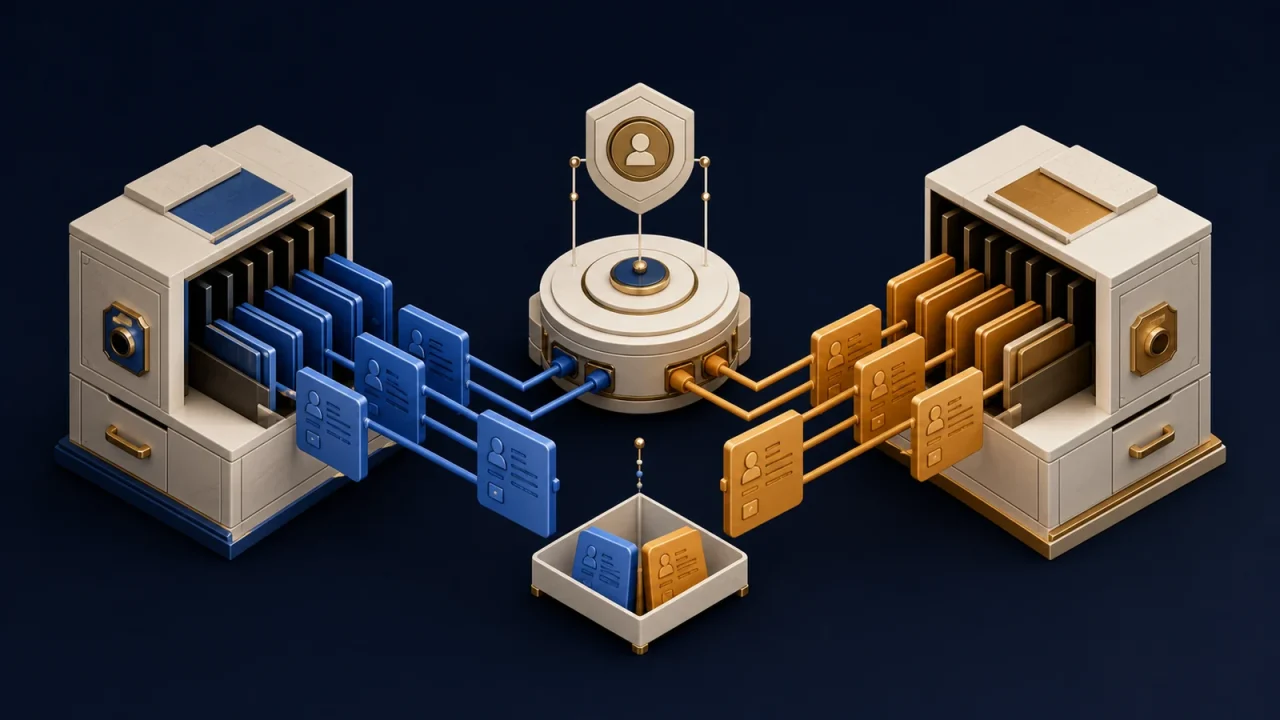
Reliable CRM data synchronization starts by deciding which system owns each field, not by turning on two-way sync. When a CRM, accounting platform, support desk, marketing tool, and custom application can all edit the same customer record, “keep everything in sync” is not a rule. It is an unresolved conflict waiting to overwrite useful data.
A source of truth is not a product name. It is an ownership decision for a specific piece of data.
The safer design uses stable record identities, field-level authority, controlled write directions, explicit conflict rules, and reconciliation that can find what event-driven updates missed.
CRM data synchronization needs a field ownership map
Begin with the business record, not the connector. List the fields that cross systems and name the application allowed to originate each value. Sales may own lifecycle stage in the CRM. Billing may own payment status in the accounting platform. A support tool may own ticket state but only read customer tier.
This produces more useful rules than declaring one entire platform the master. A CRM can be authoritative for account ownership while an identity system remains authoritative for login email. Authority can also change by workflow stage, but that transition must be explicit.
IBM’s overview of data synchronization distinguishes one-way from bidirectional synchronization and notes that two-way flows require reconciliation. The practical implication is simple: use one-way movement by default. Enable two-way editing only where the business truly needs it and can define what happens during concurrent changes.
Match records with durable identifiers
Email addresses, company names, and phone numbers change. They may also be shared or entered inconsistently. Using them as the only matching key eventually creates duplicates or attaches an update to the wrong record.
Keep each system’s immutable record ID and store the cross-system relationship in an integration table. When the business has a durable identifier, such as an account number, preserve that too. Normalize fields used for secondary matching, but send ambiguous matches to review instead of guessing.
Microsoft’s dataflow mapping guidance makes a related distinction: a display field is not a primary key, and an alternate key can be used to prevent duplicate loads. The exact controls are product-specific; the broader design principle is to separate human-readable labels from machine identity.
Prevent synchronization loops
A common failure begins when system A updates system B, system B emits its own update, and the integration writes the same value back to A. Timestamps change, automations fire again, and a harmless edit becomes a loop.
Record the origin of each change and compare normalized values before writing. Ignore no-op updates. Preserve an operation or event ID through retries. If a platform supports conditional updates or versions, use them to avoid replacing a value that changed after it was read.
Do not rely only on a “last updated by integration” user. Another automation can modify the same record, and some platforms change metadata during internal processing. Loop prevention belongs in the synchronization state, not in a fragile display field.
Resolve conflicts by business meaning
“Latest timestamp wins” is easy to implement but often wrong. Clocks differ, batch jobs run late, and the newest update may come from a system that should never own the field.
Choose a rule per field or operation: authoritative system wins, higher workflow state wins, values merge, or a person reviews the conflict. For high-impact changes such as account status, consent, pricing, or fulfillment state, silent replacement is usually a poor default.
AWS AppSync documents version-based conflict detection and multiple resolution strategies. That is one product’s implementation, but it illustrates the design requirement: detect competing versions before selecting a resolution policy.
Design deletes and merges separately
A delete is not an ordinary field update. One system may need to retain financial records, another may anonymize personal data, and a third may only deactivate the account. Define whether deletion means archive, deactivate, anonymize, or permanently remove for every destination.
Record merges need equal care. When two CRM contacts become one, preserve the surviving ID and update the cross-system mapping before later events recreate the duplicate. Keep an audit trail from retired identifiers to the surviving record.
Reconcile what real-time events miss
Webhooks and incremental API reads reduce delay, but they do not eliminate drift. Credentials expire, subscriptions are misconfigured, events fail, and mappings change. Run a scheduled reconciliation that compares authoritative fields and identifies missing, duplicated, stale, or unmapped records.
Reconciliation should report before it repairs. Separate safe automatic corrections from ambiguous differences that need review. Track sync delay, failure rate, conflict count, duplicate count, unmapped records, and the age of the oldest unresolved exception.
Use a synchronization design checklist
- List every synchronized object and field.
- Name the authoritative system and allowed write direction for each field.
- Define durable IDs and cross-system mappings.
- Document normalization, duplicate, merge, and deletion rules.
- Choose conflict behavior before enabling two-way writes.
- Make retries duplicate-safe and suppress no-op updates.
- Create reconciliation, monitoring, and an exception owner.
Make synchronized data explainable
Two connected systems should not create two competing versions of the customer. A reliable integration can explain where a value came from, why it was allowed to change, which record it belongs to, and how the team will recover when the rule is uncertain.
This extends the ownership problem described in Your CRM Is Not the System of Record If Nobody Trusts It. If customer data keeps drifting across your tools, Eckman Design can help map the ownership rules and build a synchronization process your team can operate.
Discussion
0 Comments