
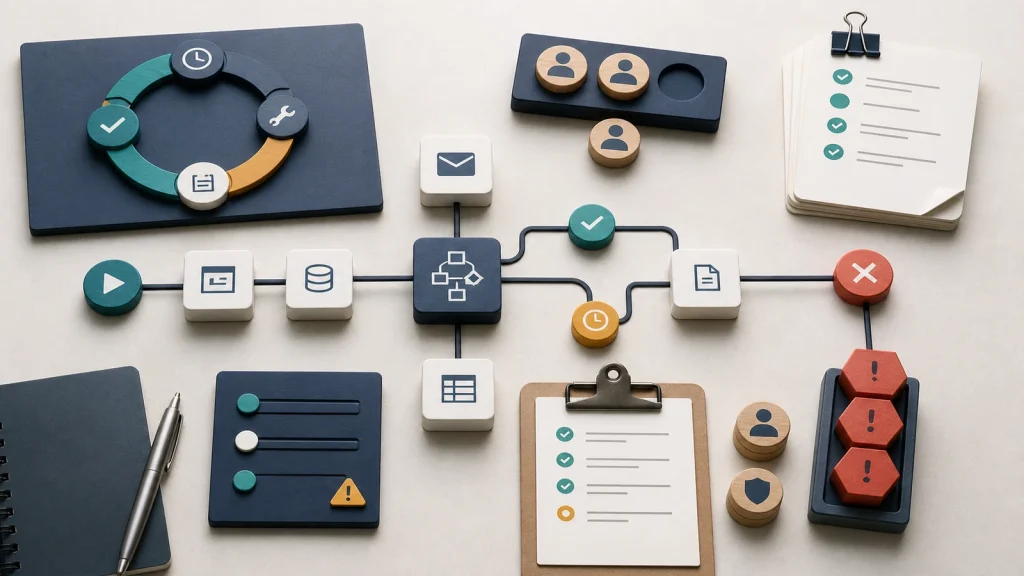
Low-code automation fails when teams treat a workflow builder as a substitute for workflow ownership.
Low-code automation can reduce delivery time, but it cannot decide who owns the process.
The real work is defining triggers, inputs, approvals, exceptions, and maintenance before the first workflow is built.
A reliable automation has a business owner, a technical owner, a review rhythm, and a clear failure path.
Start with one bounded workflow that already has visible manual drag, then improve it like an operating asset.
The Builder Is Not The Operating Model
Low-code tools make automation easier to start, which is useful. They also make weak process design easier to hide until the workflow touches real customers, real money, or real operational deadlines.
A team can connect a form to a spreadsheet, send a notification, create a task, and update a record without waiting for a full engineering cycle. That speed helps when the workflow is simple and the ownership is clear.
However, speed becomes a liability when the team skips the operating questions. Who can change the automation? Who reviews failed runs? Which source is authoritative? What happens when the form field changes? Who notices when the workflow sends the wrong handoff to the wrong person?
The platform may provide components, connectors, permissions, and monitoring. It will not provide judgment about how your business should run. Even Microsoft’s Power Platform Well-Architected guidance frames platform work around reliability, security, operational excellence, performance, and experience. Those are operating concerns, not just builder features.
That distinction matters because most low-code failures do not look dramatic at first. They look like duplicate tasks, stale records, side-channel corrections, and people quietly rebuilding the workflow in email because nobody trusts the automation.
Ownership Decides Whether The Workflow Survives
A low-code workflow needs an owner before it needs more conditions, branches, or connectors. Ownership turns an automation from a clever shortcut into a managed part of the business.
Ownership is not only the person who built the first version. The builder may understand the tool, but the business owner understands the work. A useful workflow usually needs both roles.
- The business owner defines the purpose, rules, exceptions, and desired outcome.
- The technical owner manages the platform, integrations, permissions, monitoring, and change control.
- The operators report edge cases, missing information, confusing handoffs, and practical failure modes.
- Leadership decides the risk tolerance, review expectations, and success metrics.
Without those roles, low-code automation often becomes invisible infrastructure. It runs until a field changes, a person leaves, a token expires, or a department adds a new exception. Then the business discovers that the workflow had no real owner. It only had a creator.
This is why API integrations break when nobody owns the process. The same pattern shows up in low-code systems. The integration layer may be simpler, but the operational responsibility does not disappear.
Low-Code Makes Bad Process Visible Faster
Low-code automation does not automatically fix a messy workflow. It often makes the mess move faster. That can still be useful if the team treats the first build as a diagnostic tool instead of a finished product.
For example, a sales intake workflow may seem simple. A prospect submits a form. The system creates a CRM record, assigns an owner, sends a notification, and creates a follow-up task.
Then the real exceptions appear. Some leads already exist. Some requests need a project manager before sales. Some regions route differently. Some fields carry sensitive information. Some submissions are spam. Some urgent opportunities need same-day review. Some owners forget to update the record after the first call.
The workflow did not become complicated because low-code failed. It became complicated because the business process was always complicated. The tool merely exposed the decisions that had been living in people’s heads.
That is similar to what happens when manual handoffs become the best workflow automation examples. The handoff shows where information changes state, where responsibility moves, and where the business needs a clear rule instead of another reminder.
Start With A Workflow Inventory
A practical low-code automation plan starts with a workflow inventory, not a platform tour. The inventory shows which processes are worth automating and which ones need cleanup first.
The inventory does not need to be complex. It needs to answer a few grounded questions about the way work moves today.
- What triggers the workflow?
- What information must exist before the first step can run?
- Which system is the source of truth for each important field?
- Who makes decisions when the workflow branches?
- Which approvals are required before work continues?
- What exceptions happen often enough to design for?
- What should the automation do when it cannot complete the task?
- Who reviews performance, errors, and stale rules?
These questions separate a real automation candidate from a wish. A workflow is ready when the team can explain the trigger, inputs, rules, handoffs, outputs, and review path without relying on one person’s memory.
When the team cannot explain those basics, building faster creates a faster problem. The better move is to simplify the workflow, reduce duplicate inputs, remove unnecessary approvals, and define the exception path before the automation goes live.
Governance Should Match The Risk
Low-code governance does not have to slow every team down. It should match the risk of the workflow. A personal reminder workflow does not need the same controls as a billing, hiring, support, or customer communication workflow.
The mistake is treating all low-code work as either harmless experimentation or locked-down software development. Most businesses need a middle path. Teams should be able to improve local work, but shared workflows need standards.
- Name the workflow owner and backup owner.
- Document the business purpose in plain language.
- Limit connector access to the systems the workflow actually needs.
- Use test data before connecting live customer or financial data.
- Set alerts for failed runs, slow queues, and repeated exceptions.
- Review workflow changes before they affect customers or downstream teams.
- Archive or retire unused automations before they become hidden risk.
This level of governance keeps the promise of low-code alive. The goal is not to create bureaucracy. The goal is to prevent small automations from becoming undocumented business dependencies.
The same lesson appears when spreadsheets become the workflow. Informal tools are useful until they become the place where the real business runs. Once that happens, ownership and maintenance matter.
Build The First Workflow Like A Product
The first low-code automation should be small enough to manage and important enough to teach the organization something. A narrow workflow with clear pain will produce better results than a broad transformation promise.
Good candidates usually have repeated steps, stable rules, visible handoffs, enough volume to matter, and a clear human review path. They also have a team willing to own the workflow after launch.
Before building, define the first version in operational terms. Decide what the workflow will do, what it will not do, what information it needs, what counts as a successful run, and how the team will review failures.
After launch, inspect the workflow like a product. Watch the queue. Review the exceptions. Ask operators where they still work around the system. Measure whether the automation reduced friction or merely moved it to a different person.
That review loop is where low-code automation becomes durable. The first version proves the workflow. The second version improves the rules. The third version often reveals which parts should stay low-code and which parts need a more formal software system.
The Better Question
The useful question is not whether your team should use low-code automation. Many teams should. The useful question is whether the workflow is clear enough to operate after the excitement of the first build fades.
If the process has no owner, no source of truth, no failure path, and no review rhythm, the automation will inherit those gaps. If the process has clear boundaries and a team responsible for improving it, low-code tools can remove real operational drag.
A good first step is to pick one workflow that people already complain about and map how it works today. Find the handoffs, approvals, exceptions, and hidden spreadsheets. Then decide whether low-code automation can make that workflow easier to operate, not just easier to build.
If that review raises more questions than answers, that is useful. It means the business has found the real work. The automation should come after that work, not before it.